Handheld RFID Readers: Types, Range & How to Use Them
Handheld RFID readers take RFID to the item instead of waiting for items to pass a fixed reader. This chapter explains the main form factors, the specifications that matter, realistic read ranges, the working modes used for counting and searching, and how to choose and use a handheld well.
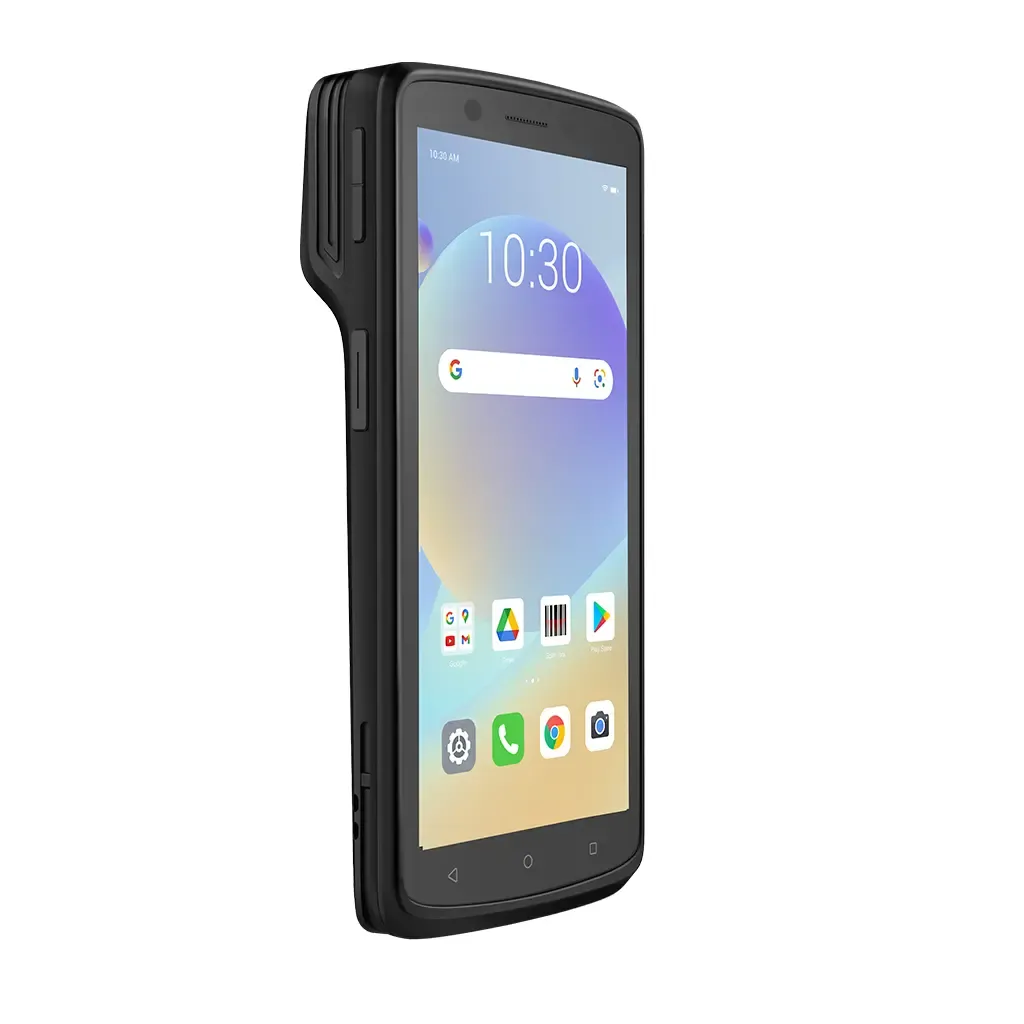
- Handheld RFID readers come as Android mobile computers with built-in UHF, pistol-grip units, Bluetooth sleds for phones, wearables, HF/NFC readers and LF animal-ID wands.
- Handhelds usually read shorter distances than fixed readers because of their smaller antennas, battery limits and often lower output power.
- Read range depends on the tag, power, orientation and surroundings; any range figure is indicative only.
- Use inventory mode for counting, search (Geiger counter) mode for finding one item, and encode/verify modes for writing and checking tags.
- A steady sweep pattern, suitable power and the right Gen2 session setting make counts faster and more accurate.
Why handheld RFID readers matter
A fixed reader waits for tagged items to pass it. A handheld reader goes to the items. That makes handhelds the workhorse for cycle counts, asset audits, searching for a specific item, encoding a few tags in the field and checking tags during installation. For many retailers and asset owners, a handheld is the first RFID reader they buy, and in some projects it is the only one.
This chapter focuses on passive UHF handhelds, which dominate stock and asset work, but also covers HF/NFC and LF readers. For a general introduction to reader architecture see RFID Readers Explained.
Form factors
Android RFID mobile computers
A rugged Android device with a touch screen, barcode scanner and an integrated UHF RFID module, often with a pistol grip or a top-mounted antenna. Everything - reading, apps, Wi-Fi or cellular sync - happens in one unit. This is the most common choice for retail and warehouse counting.
Pistol-grip handhelds
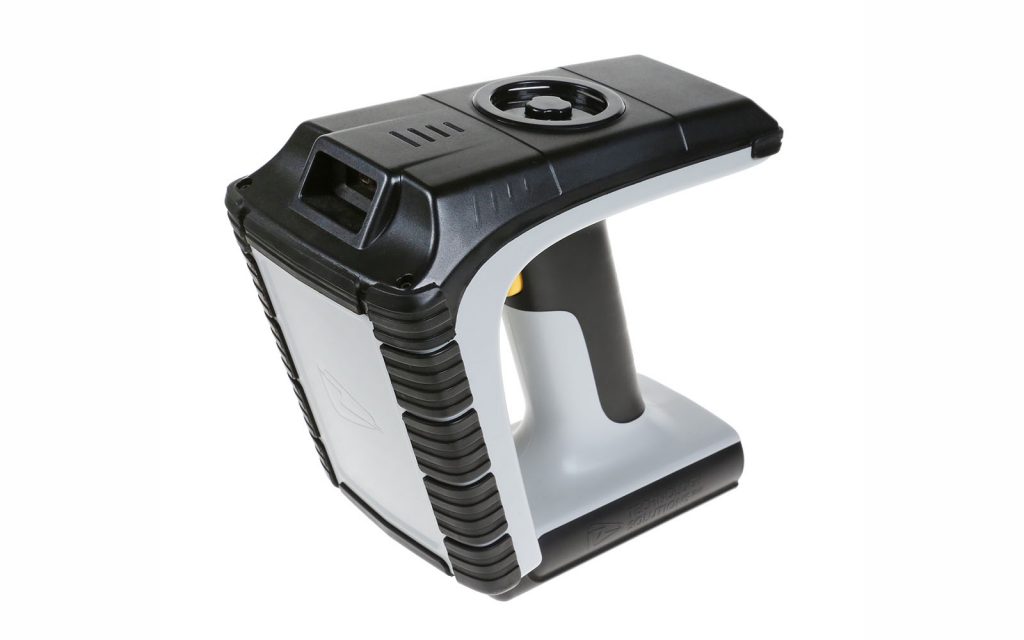
A trigger-operated unit, either a full mobile computer with an RFID handle or an RFID head that clips onto a mobile computer. The grip lets the operator point the antenna comfortably for long counting sessions.
Bluetooth RFID sleds
A sled is an RFID reader with its own battery and antenna that clamps to, or pairs with, a smartphone or rugged mobile computer over Bluetooth. The phone runs the app; the sled does the radio work. Sleds let organisations reuse existing devices and upgrade them cheaply, though fit and app compatibility must be checked.
Wearable and ring readers
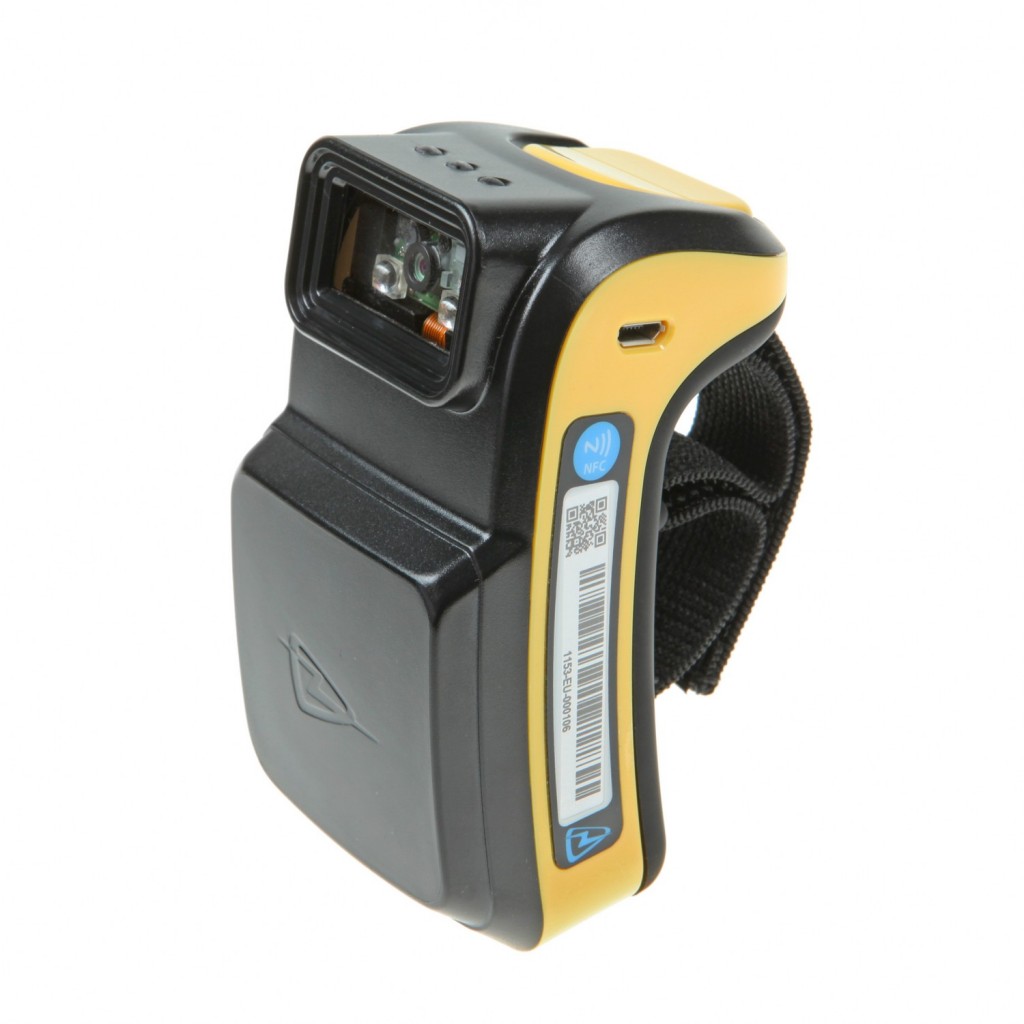
Small readers worn on the wrist, finger or glove for hands-free work such as picking. Their antennas are tiny, so range is short - often useful precisely because it reads only what the hand is near.
HF/NFC handhelds and phones
Most smartphones read NFC tags at a few centimetres. Dedicated HF handhelds add ISO/IEC 15693 and 14443 support, larger antennas and industrial software for libraries, healthcare and access control.
LF animal-ID wands
Stick readers for ISO 11784/11785 FDX-B and HDX ear tags and injectable glass tags, used in livestock and pet identification. They are built for outdoor use and long battery life.
Major makers such as Zebra, Honeywell, Datalogic, Seuic, Chainway and others offer RFID handhelds in one or more of these forms; compare current models on our handheld RFID readers page.
In the real world
Key specifications
- Output power - UHF handhelds commonly allow adjustment up to around 1 W conducted, but many run lower to save battery. In India the radiated limit for 865-867 MHz is 4 W EIRP, which a handheld with a small antenna normally stays well below.
- Read rate - tags per second in ideal conditions; useful for comparison, but real counts are slower.
- Antenna type - linear or circular polarisation, and how directional the antenna is. Directional antennas help in search mode.
- Battery - capacity, hot-swap support and how many hours of continuous RFID reading a charge gives. RFID reading drains batteries much faster than barcode scanning.
- IP rating and drop rating - dust and water ingress protection and the drop height onto concrete the unit is tested for.
- Barcode scanner - 1D/2D imager, essential for mixed barcode and RFID workflows.
- OS and SDK - Android version and security support period, and an SDK for building or integrating apps.
- Region setting - must be set to the India band (865-867 MHz) for use here.
Typical read distances
The table below compares a handheld with a fixed reader using a good external antenna. These are typical / indicative figures only - actual range varies with tag, power, orientation and environment, including the material the tag is on, nearby metal and liquids, and reader settings.
| Tag type | Handheld reader (typical / indicative) | Fixed reader + good antenna (typical / indicative) |
|---|---|---|
| Small UHF label (jewellery, small item) | 0.3 - 1.5 m | 1 - 4 m |
| Standard UHF label (carton, garment) | 1 - 6 m | 4 - 10 m |
| On-metal UHF hard tag (on metal surface) | 0.5 - 5 m, depending on tag size | 2 - 10 m or more for large tags |
| HF / NFC (13.56 MHz) | 1 - 10 cm (phones at the low end) | Up to several tens of cm with large HF antennas |
| LF (125/134.2 kHz) | A few cm to around 30 cm | Up to about 1 m with large panel antennas |
Why handhelds are usually shorter-range
- Smaller antenna - a handheld antenna has lower gain than a typical fixed panel, so less energy reaches the tag and less of the reply is captured.
- Lower power - battery life and heat limit how long a handheld can transmit at full power.
- Battery and size - the radio, amplifier and antenna are compromises to fit a device people carry all day.
The physics behind these limits is covered in RFID read range. Longer range is not always better: in a store you usually want to count the rack in front of you, not the one across the aisle.
Operating modes
Inventory / cycle count
The reader reads every tag in range, de-duplicates EPCs and compares them with the expected stock list. The result is a list of found, missing and unexpected items.
Search / locate (Geiger counter mode)
The operator selects one EPC or a filter. The reader ignores other tags and turns the target tag's received signal strength (RSSI) into a beep rate, tone or bar graph. As the operator moves closer, the signal rises. Reducing power as you get close narrows the search to the exact shelf or box.
Encode / write
The handheld writes an EPC or user data to a single tag, for example when tagging an asset in place or replacing a damaged label. Lower the power so only the intended tag is in range - see RFID Encoders Explained.
Verify
Reads a tag and checks that its data and lock status are correct, useful after printing or during installation acceptance.
Typical workflows
Stock count in a retail store
The operator downloads the expected stock list, then walks each zone sweeping fixtures, back-room shelves and fitting rooms. The app shows progress and missing items in real time. A store count that once took a team a full day with barcodes can typically be done by one or two people in a few hours, with much higher accuracy.
Fixed asset audit
Assets such as IT equipment, furniture or tools are tagged with suitable labels or on-metal hard tags. The auditor walks room by room; the app records location and time of each read and highlights assets not found, which can then be searched for in Geiger mode.
Warehouse picking and put-away
The handheld confirms that the right carton or item has been picked by reading its tag, or uses search mode to locate a specific pallet in a block-stacked area. Barcode scanning on the same device handles items that are not yet tagged.
Tips for faster, accurate counts
- Sweep pattern - move slowly in a steady zig-zag or overlapping arc, covering top to bottom of each fixture. Rotate the wrist occasionally to vary orientation.
- Distance - hold the reader roughly an arm's length from the stock; too close can miss tags at the edges, too far reads neighbouring zones.
- Power settings - start at a moderate level and raise it only if tags are missed. Too much power picks up stock from other zones and confuses location data.
- Sessions - EPC Gen2 lets a tag remember it has already been counted. Session S0 forgets as soon as the tag loses power; S1 remembers for a short time; S2 and S3 remember for longer even after power is lost. For a large count, S2 or S3 with a single target (count each tag once) reduces repeated replies and lets weaker tags answer. For search mode, a dual-target or S0 setting keeps the tag replying.
- Order of work - count one zone fully before moving on, and keep counted stock away from uncounted stock.
- Battery - start with a full battery and carry a spare for big counts.
Software and integration
A handheld is only as useful as its app. Options include the maker's demo apps (fine for testing, not for production), ready-made inventory or asset apps, and custom apps built with the maker's SDK. Data reaches back-end systems through Wi-Fi or cellular sync, file export or APIs. Key features to look for are offline working, filtering by EPC prefix, de-duplication, location assignment and exception reports. The middleware and software chapter explains how handheld data joins ERP and WMS records.
For areas that need continuous, automatic visibility without staff walking around, consider fixed or overhead RFID readers instead of, or alongside, handhelds.
Choosing a handheld
| Need | Best fit | Check |
|---|---|---|
| Regular store or warehouse counts | Android mobile computer with UHF, pistol grip | Battery hours, ergonomics, app |
| Reuse existing phones or mobile computers | Bluetooth UHF sled | Device fit, SDK, Bluetooth stability |
| Hands-free picking | Wearable or ring reader | Range is short by design |
| Fixed asset audits, outdoor yards | Rugged UHF handheld with higher IP and drop rating | On-metal tag performance |
| Library, healthcare, NFC tags | HF/NFC handheld or NFC phone | Supported ISO standards |
| Livestock and pets | LF animal-ID wand | FDX-B and HDX support |
Questions to ask before buying
- How many hours of continuous RFID reading does one battery give at the power level you will actually use, and can batteries be swapped without rebooting?
- Is the unit comfortable for a full counting session? Weight balance and grip matter more than they appear on a datasheet.
- How long will the Android version receive security updates, and is the SDK documented and supported?
- Does your inventory or asset software already support this device, or will integration work be needed?
- What is the local repair and spare-parts arrangement in India, and how quickly can a failed unit be replaced?
Always test shortlisted units with your own tags, on your own items, in your real environment before buying in volume. A half-day trial counting a known zone tells you more than any specification sheet.
Common problems and fixes
| Problem | Likely cause | Fix |
|---|---|---|
| Count lower than expected | Fast sweeping, low power, wrong session, poorly placed tags | Slow down, adjust power, use S2/S3 single target, check tag placement |
| Items from next zone appear | Power too high | Reduce power; count zones in sequence |
| Cannot find item in locate mode | Filter wrong, session holding tag silent | Check EPC filter; use S0 or dual target for search |
| Battery drains quickly | Continuous full-power reading | Lower power, use trigger reading, hot-swap batteries |
| Very short range | Wrong region setting, damaged antenna, tag on metal | Set India band; test with known-good tag; use on-metal tags |
| Sled disconnects | Bluetooth pairing or power-saving settings | Update firmware and app; disable aggressive battery optimisation |
To practise these techniques on real equipment, the RFID courses in India include hands-on sessions with handheld readers and counting exercises.
Watch & learn
Videos are from YouTube and their respective creators; they play only when you click.
Help India adopt this fast-growing technology - teach, consult or build projects with Indian RFID.
Frequently asked questions
How far can a handheld RFID reader read?
With standard UHF labels a good handheld typically reads a few metres, and less for small or poorly placed tags. HF/NFC handhelds and phones read only a few centimetres, and LF wands read from a few centimetres up to tens of centimetres depending on tag type. These figures are indicative and vary with conditions.
Can a smartphone read UHF RFID tags?
No. Phones have NFC, which reads HF/NFC tags at very short range. To read UHF tags with a phone you attach a Bluetooth RFID sled or use a dedicated RFID mobile computer.
How many tags can a handheld read per second?
Modern UHF handhelds can read hundreds of tags per second in good conditions, but the practical count rate depends on tag density, session settings, software and how the operator sweeps.
What is Geiger counter mode?
It is a search mode where the reader filters for one tag and turns its signal strength (RSSI) into a beep rate or bar graph, so the operator can walk towards the item until it is found.
Is a handheld or a fixed reader better?
Handhelds are best for periodic counts, audits, searching and low-volume encoding. Fixed readers are best for automatic, continuous capture at doors, conveyors and zones. Many projects use both.
Join the 1-month Certified RFID Specialist Program - live online. New batch 12 January 2027.